Posts

DIY vs. Professional Computer Repair in Brisbane: Which is Right for You?

Image
 When your computer or laptop starts acting up, the immediate reaction is often to figure out how to fix it yourself. After all, the internet is brimming with tutorials and quick fixes. However, not all computer issues are suitable for DIY solutions, and sometimes, opting for professional services is the smarter choice. In this blog, we’ll explore the pros and cons of DIY and professional computer repair to help you decide which is right for you. The Appeal of DIY Computer Repairs There’s no denying that the DIY route has its allure, especially for minor issues. Here’s why many people consider fixing their computers themselves: 1. Cost-Effective Solution DIY repairs are often seen as a way to save money. Why pay for professional services when you can replace a faulty keyboard or troubleshoot software problems on your own? 2. Convenience and Accessibility With countless online resources, including YouTube tutorials and forums, solving common issues has never been easier. This can be...
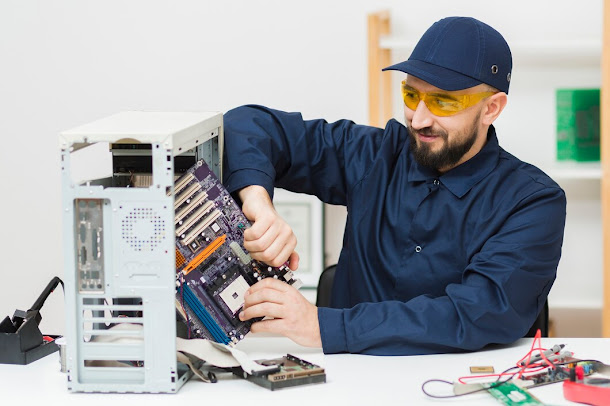
Top Signs You Need a Professional PC Repairs Service

Image
 Computers have become essential tools in our personal and professional lives. From managing work projects to keeping in touch with loved ones, a functional PC or Mac is critical. But what happens when your computer starts acting up? Should you tackle the problem yourself, or is it time to call in the professionals? If you're in Brisbane and noticing issues with your computer, Prolink Tech Solutions is here to help with expert PC repairs Brisbane services. In this guide, we’ll walk you through the top signs that it’s time to seek professional assistance for your computer problems. 1. Slow Performance Does your PC take forever to load programs or boot up? A sluggish computer can be frustrating and counterproductive. While temporary fixes like restarting your device may offer relief, persistent slow performance often indicates underlying issues such as outdated hardware, software conflicts, or malware. A professional PC repair service can diagnose the exact cause of the slowdown and...

5 Common Causes of a Slow Laptop and How to Speed It Up

Image
 A slow laptop can be one of the most frustrating obstacles to productivity. Whether you're trying to get through a workday, complete a school project, or simply browse the web, a sluggish machine can bring everything to a crawl. At Prolink Tech Solutions, we understand how essential a well-functioning laptop is in today’s world. In this blog, we’ll explore five common reasons why laptops slow down and provide practical tips to help you speed them up. Plus, if your laptop is still underperforming, our laptop screen repairs Brisbane and laptop repairs Brisbane services are here to help. 1. Too Many Startup Programs When you turn on your laptop, various applications may automatically start running in the background. While some programs are essential, others may not be necessary. These background processes consume your laptop’s memory and processing power, leading to slower performance. How to Fix It Manage Startup Programs: On Windows, press Ctrl + Shift + Esc to open the Task Manage...